Before you start
Adding Citation Gap to ChatGPT takes about three minutes and happens entirely inside ChatGPT’s settings. There is nothing to download. You will need:
Paid ChatGPT Plan
(Plus, Pro, Business, Enterprise or Edu) because custom plugins run through developer mode, which the free tier does not include. Prefer to stay free? The same tool works on Claude’s free tier.
Turn on Developer mode
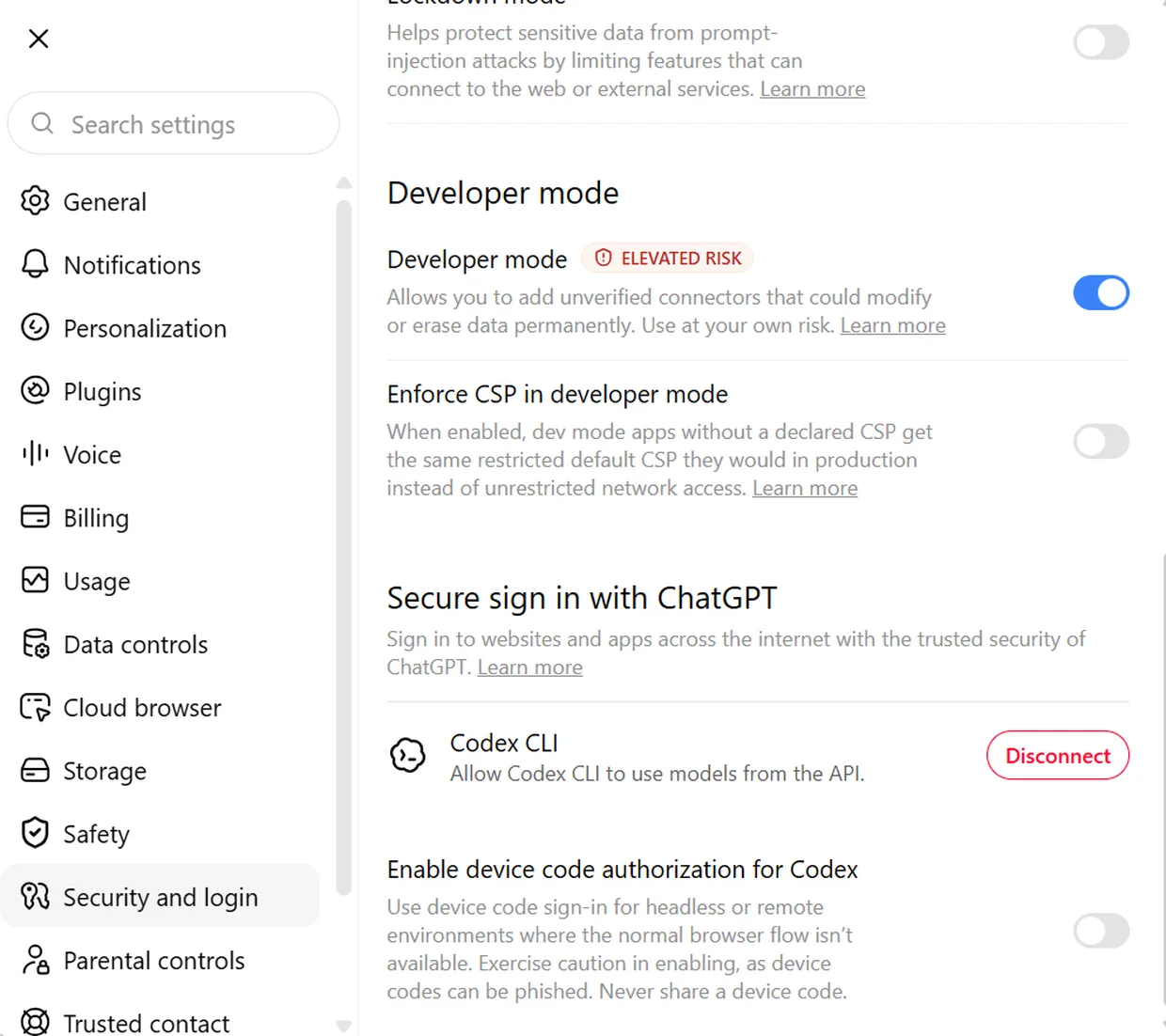
Custom plugins run through ChatGPT’s Developer mode. Open ChatGPT in your browser, go to Settings › Security and login, scroll to Developer mode and switch it on.
ChatGPT flags it as elevated risk because it lets you add unverified, third-party plugins, that’s expected.
Open the Plugins page
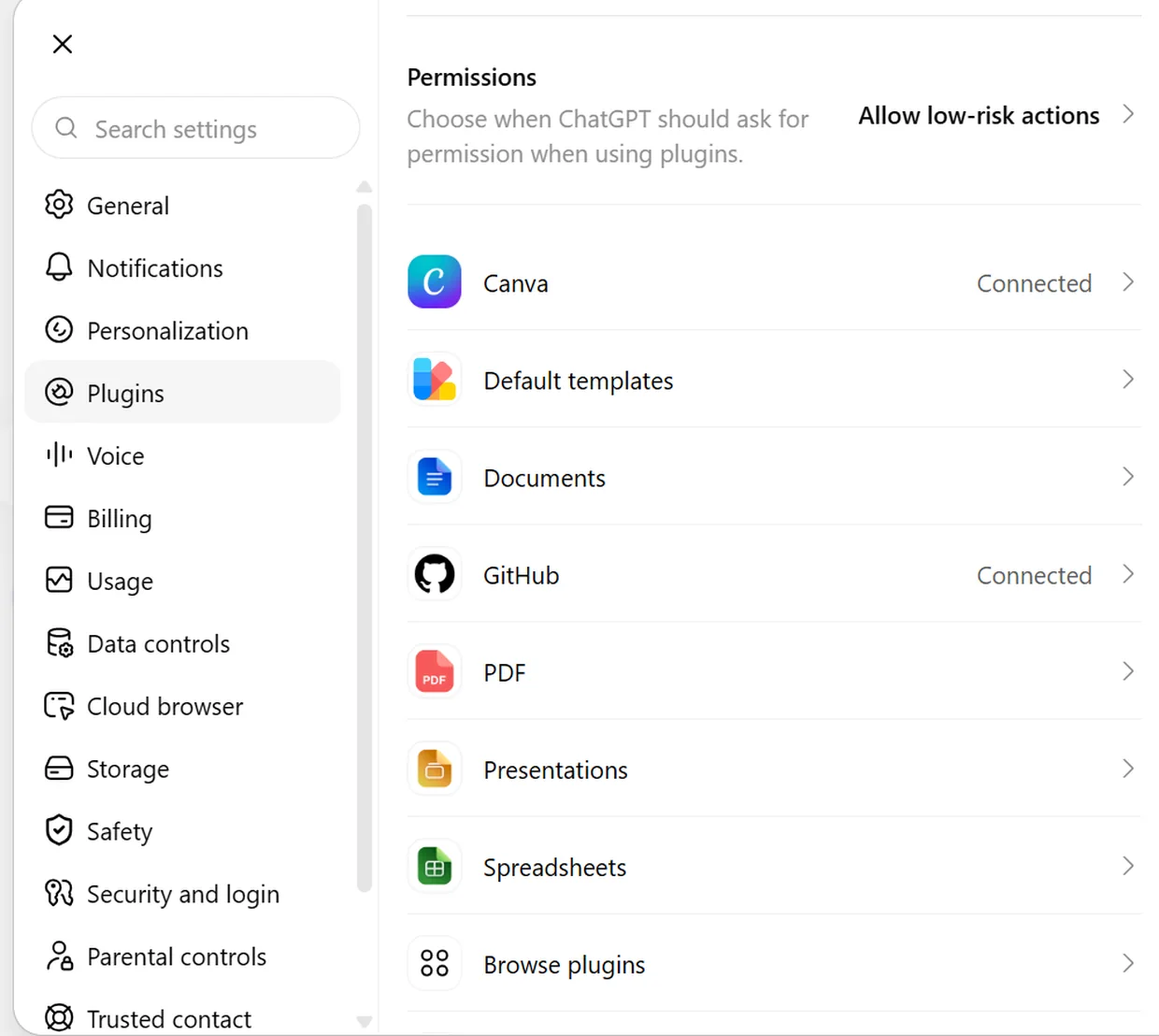
Back near the top of Settings, open Plugins, this lists every tool ChatGPT can use. Scroll to the bottom and click Browse plugins to open the plugins gallery, where custom plugins are added.
Open Browse plugins and add one
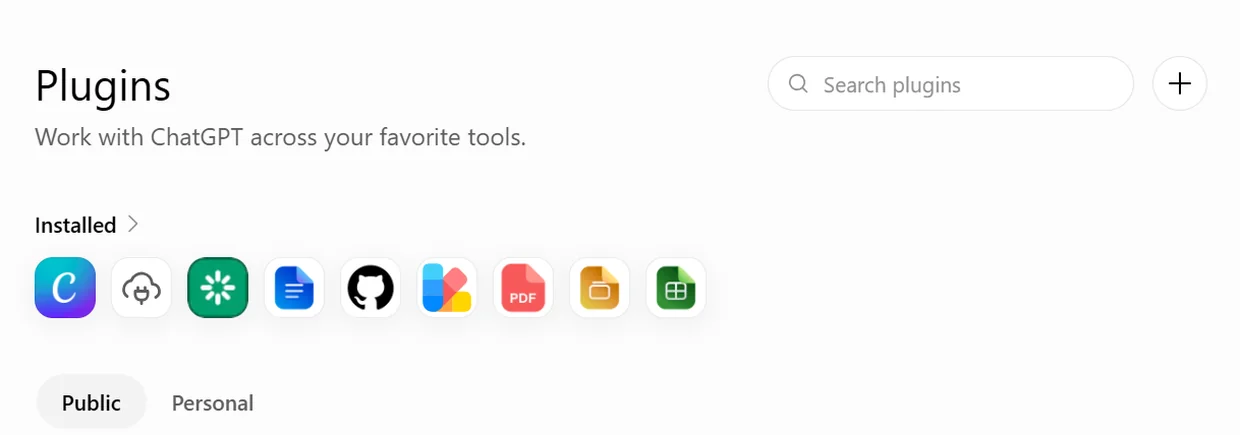
In the plugins gallery, click the + button next to the Search plugins box to add a custom plugin, the New Plugin dialog opens. It asks for a Name, an optional Description, a Connection (leave it on Server URL) and an Authentication method.
Paste the Citation Gap details
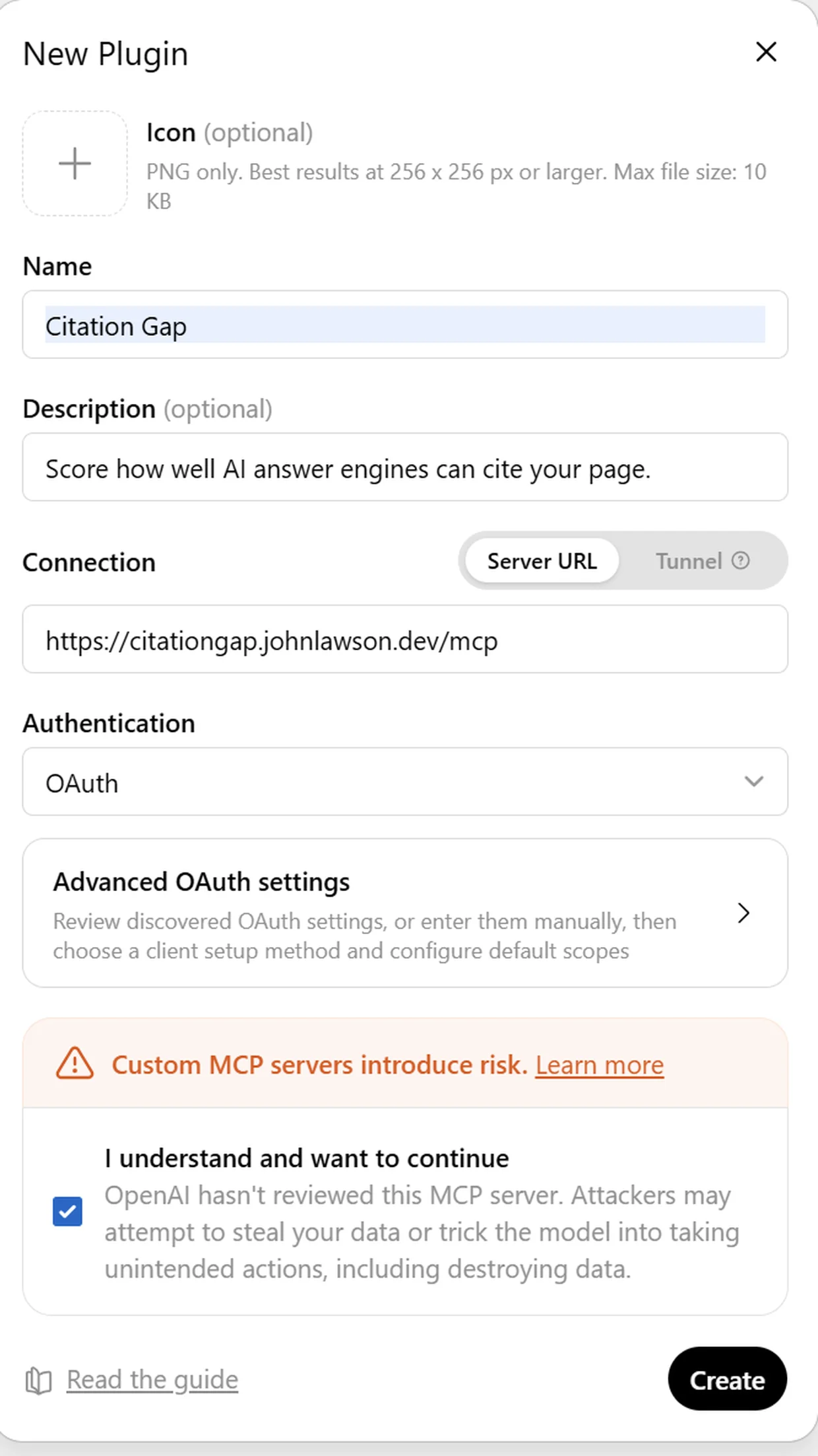
In the New Plugin dialog, copy each value into the matching field:
Name
Citation GapDescription (optional)
Score how well AI answer engines can cite your page.Server URL
https://citationgap.johnlawson.dev/mcpLeave the Icon as the empty ‘+’ box, it is optional, and ChatGPT generates one for you. Keep Connection on Server URL, set Authentication to OAuth, tick ‘I understand and want to continue’ under the risk notice, then click Create.
Authorize and connect
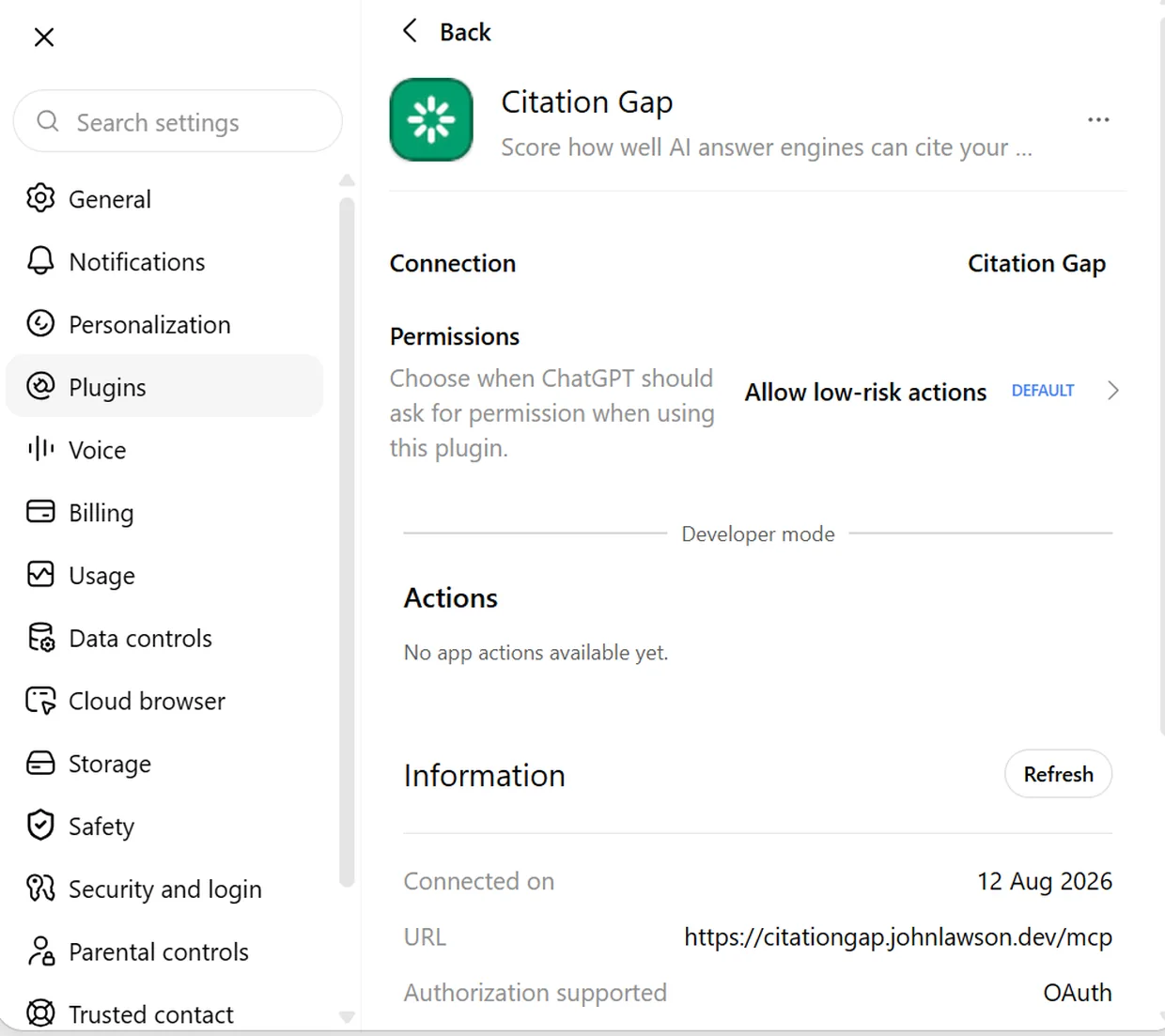
ChatGPT runs a quick sign-in so Citation Gap can run audits on your behalf, review it and approve. When it finishes, Citation Gap shows as Connected, with its URL and OAuth listed.
The permissions are limited to running audits and returning reports, and you can disconnect at any time from this same page.
Run your first audit
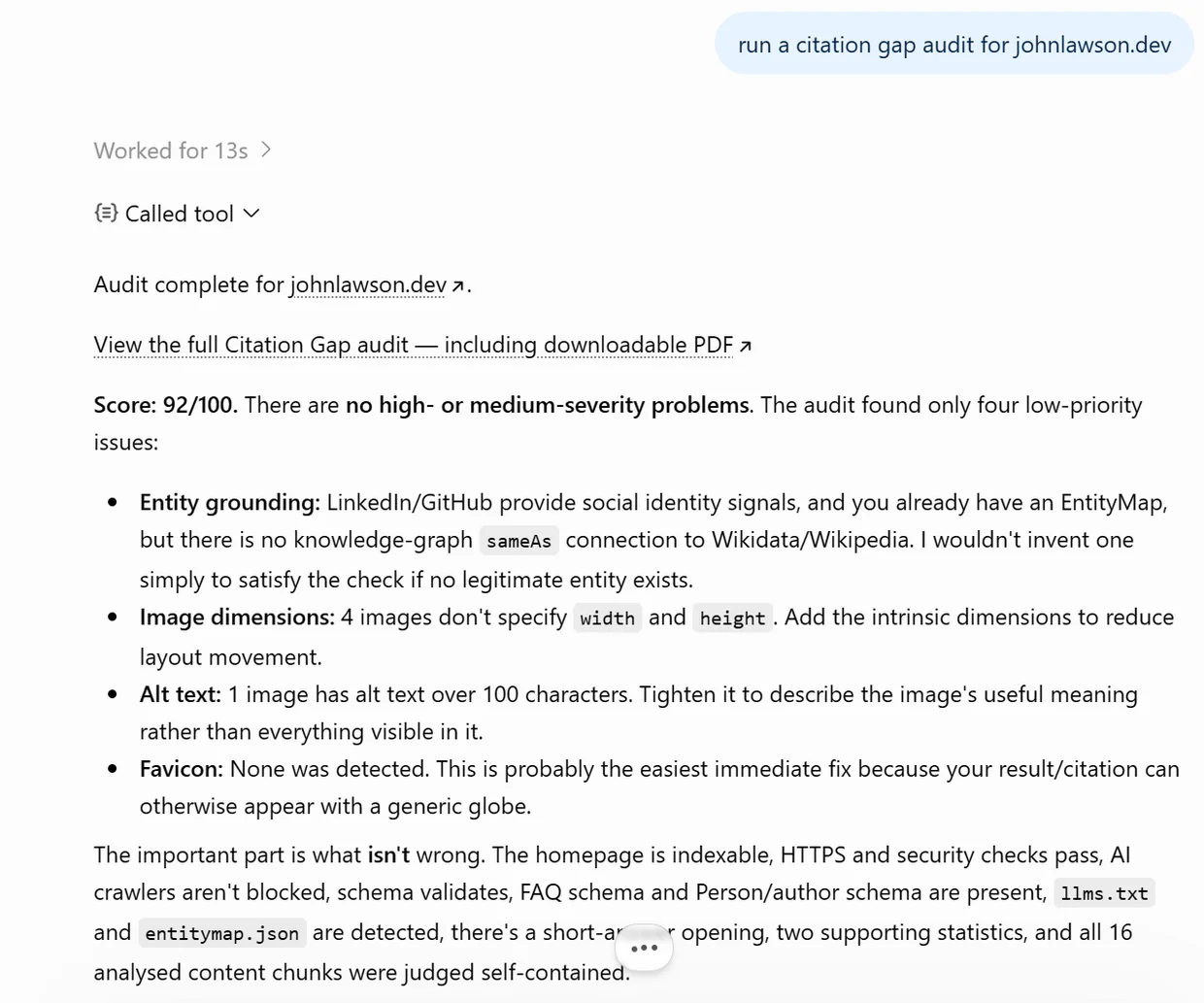
Start a new chat and ask for an audit, give the page URL, the search query you want to win, and two to six competitor URLs. For example:
run a citation gap audit for example.com for the query ‘best running shoes for flat feet’ against these competitors…
ChatGPT calls Citation Gap and replies with a link to a full report you can open, share or download as a PDF.
What you can do once it is connected
Citation Gap runs the exact same audit engine on every surface, so a report you generate inside ChatGPT is identical to one produced anywhere else. Once it is connected, you can ask ChatGPT to:
- Score any page out of 100 for how ready it is to be cited by AI answer engines like ChatGPT, Google AI Overviews, Perplexity and Claude.
- Benchmark you against competitors, showing the content gaps and information gain: what rival pages cover that yours does not.
- Get a prioritised Action Plan with paste-ready JSON-LD, wording rewrites and technical fixes, each one copy-and-paste ready.
- Check answer-readiness and structured data: whether engines can quote your page, and which schema types are missing.
- Hand back a shareable, downloadable report you can send to a client or teammate.
Frequently asked questions
Do I need a paid ChatGPT plan?
Yes. Custom plugins need Developer mode, which is available on paid plans, Plus, Pro, Business, Enterprise and Edu, in the ChatGPT web app. It is not available on the free tier. If you would rather not pay, the same audit works on Claude on any plan, including free: see Add Citation Gap to Claude.
Why does ChatGPT warn that the plugin is unverified?
OpenAI shows that notice for every custom plugin because it has not reviewed them. Citation Gap only receives the page URL, search query and competitor URLs you give it, returns a report, and can be removed at any time from your Plugins page.
Can I set it up on my phone?
Do the setup in the ChatGPT web app on a computer, Developer mode and plugin management are web-only. Once it is connected you can use it in chats anywhere you are signed in.
Is my data safe, and can I disconnect it?
Citation Gap does not read your other chats or files. It receives only the inputs you give it for an audit and returns a report. You can disconnect it any time from the Plugins page.